




Subcategories

  • UHD map making materials

    9
    11
    4 Votes
    9 Posts
    6k Views
    Black_ElkB
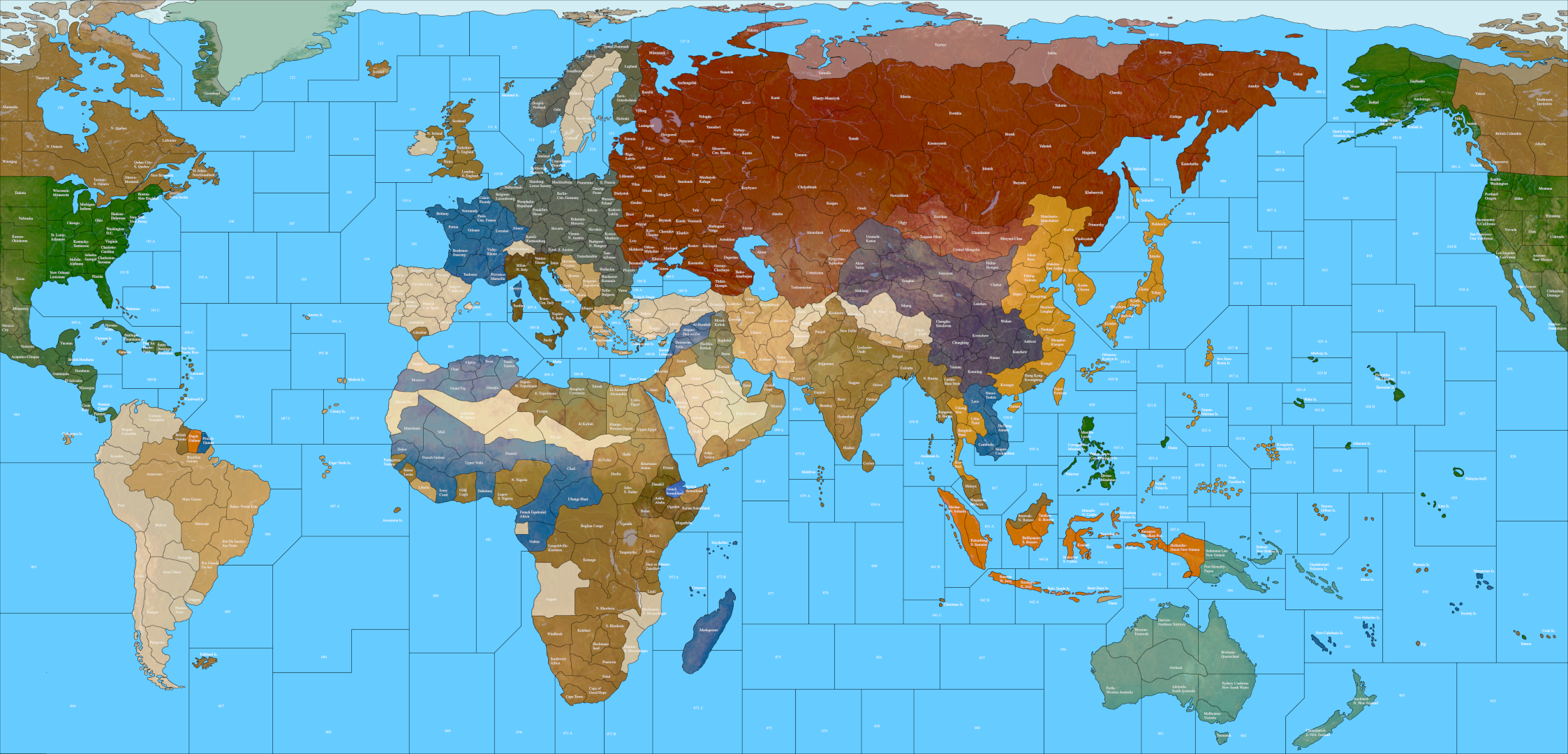
    Ok so I put all the stuff I had into the UHD map making folder in the lead post. With the dark ocean stuff, the Units with their flips, and some of the extra stuff for layering relief clocked in right around 200mb zipped. Here is the file again, the one that has all the relief elements and such. UHD map making stuff https://drive.google.com/file/d/1CAymUozYeQirEmsyl4wAV2Q70QunbpA6/view?usp=sharing When I removed all the extraneous stuff from the UHD World War II Global folder for a lighter footprint file that one clocked in at about 81 mb. Here is the game folder... UHD world war II global https://drive.google.com/file/d/1e1KU3n5lwPLLRWC5_3Vcdlo7NUj2mxrK/view?usp=sharing It has no relief as a single image, but that should be easy to reconstruct from the reliefTiles folder. Provided the other Customizing package lives somewhere people should be able to get at what they need from that, like to edit the relief, do different borders or different styles, retint the units or whatever. I removed the v3 48px units, since those can be grabbed from the regular global download. They're still compatible, so you can switch the units from one map to another (48px mono tints or 54px duo tints), but it trimmed down the overall filesize so hopefully the install/load is a bit faster. Let me know if that makes sense for ya Have a fun weekend!
  • Some questions about map's graphics

    7
    4 Votes
    7 Posts
    1k Views
    Black_ElkB
    Oh also I just remembered, so for the smallMap image you can try just making that a solid blue swatch at the desired pixels instead of using "Other: Optional Things -> Run the Image Shrinker" Just to make sure the white dots aren't coming in from that. If they only appear on the mini map it's likely from the tiny image there, where some white isn't being fully covered over by the HEX colors from the polys so they show as gaps. Unless you have tiles that are unassigned and intended to show as white on the map, the smallMap doesn't actually need any white or black, since it's just painting stuff over from the polys there. For example the smallMap in UHD global looks like this... [image: smallMap uhd global.png] Only the arctic section at the very top was left white, since those polys weren't assigned in the game (to create the little ice sheet effect), but for everything else just needs a blue field to paint in the HEX colors on top. The white there was just me lazing out and not wanting to assign a ton of extra icy tiles, but if assigned and given a HEX they'll paint like all the other tiles and you just need the blue. ' For 4:3 at 320 px, try using this for the smallMap jpeg... If the little white dots don't display anymore then you'll know they were just coming from that tiny image instead of the actual polys. [image: smallMap.jpeg] I totally forgot, but the same thing happened to me as well! lol Hope that helps! ps. oh and for the shape of the polys in the mini map display, I believe it will just stretch to match the aspect there when painting the polys into the mini if it's different than the main map. Probably not a big deal usually if the aspect is slightly off between the two rectangles when showing a squiggly world shape, although to hold a simpler overall shape like a circle, I think both need to match or the circle might get compressed and go oblong? I think you're already ahead of that one cause 4:3 is optimal for tripleA. It only sorta works at 16:9 cause the Mini and UI tab can kinda cover the unused area. I'd have done the UHD in 4:3 but the regular world war II global that bung made at 2:1 so I split the difference, but it was kinda wonky at 16:9/16:10 which I didn't manage anyway, cause ended up cropping at the margins a bit. Go figure! I'm still learning how all this stuff works myself, even after many years trying to puzzle it out haha. Best of luck dude! Let me know if you hit any snags
  • How to make a map AI friendly?

    thedog
    8
    5 Votes
    8 Posts
    5k Views
    TheDogT
    Short answer yes. Using isAI and say rounds 4-5, 8-9, 12-13 or another condition Have 2 or more turns give the AI a chance to assemble forces for the attack.
  • Flak Tower Image

    10
    1
    1 Votes
    10 Posts
    2k Views
    B
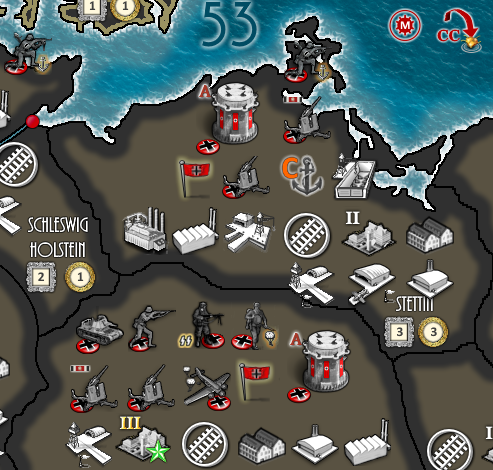
    @ebbe FlakTower is right below your "German". Coincidence ? I say Destiny [image: Screenshot from 2024-02-16 09-48-40.png]
  • Help creating a map

    27
    2 Votes
    27 Posts
    9k Views
    RogerCooperR
    You should at least double the size of your map, so the map will have space to deploy all the units.
  • SBRs: Use Multiple Dice

    21
    2 Votes
    21 Posts
    5k Views
    B
    @wc_sumpton said in SBRs: Use Multiple Dice: I bow to your superiority! heh heh lets not get carried away now
  • How to default a player to be the AI?

    7
    0 Votes
    7 Posts
    2k Views
    TheDogT
    @eqqman So the "none" can be used as a faction that does nothing, but can have; "capital" code. step logic like notifications conditions Search map xml for to look for "DoesNothing" and then the faction to find actual use.
  • How to correctly clone an existing map so you can edit it?

    3
    0 Votes
    3 Posts
    1k Views
    E
    @rogercooper Hello- I figured it out, the map.yml file had the last required edit in it.
  • How to add new units?

    11
    0 Votes
    11 Posts
    3k Views
    Bill GillinghamB
    @joseph-prince - I'm late to the party... but for anyone searching, the problem was the capitalization (as one replier did mention, but it was never tested) lightArmour vs lightarmour
  • Customizing Production Tabs

    5
    0 Votes
    5 Posts
    1k Views
    U
    @thedog Thank you! I suspect the issue is that I have spaces in the names of my units.
  • Technology Rolls, enabling other technology rolls

    8
    0 Votes
    8 Posts
    2k Views
    U
    I've settled on Age of Tribes approach. Very straight-forward.
  • Looking for map feedback!

    5
    1
    2 Votes
    5 Posts
    1k Views
    TheDogT
    @ebbe Should change your version to Version 2.1 <connection t1="East China Sea 3" t2="Kagoshima"/> is not a valid connection East China Sea 3 has Kobaya which is not possible to be in deep sea Line 1980ish Construction as a resource is missing Politics phase needs to go in each Clan phase, so when playing PvP its just one session, as Matt suggestion Using TripleA-2.6+14473 in each test game I get this below, sadly this is a first for me, so cannot offer any suggestions and I cannot make it repeat. [image: Screenshot 2023-08-18 092106.png] Searching the forum found this; https://forums.triplea-game.org/topic/1609/triplea-2-0-16244-issues-with-an-unreleased-game @Cernel Did you solve the "battle not displayed" problem?
  • Easier Map Making with Inkscape & reusable art assets

    thedog
    11
    2 Votes
    11 Posts
    4k Views
    TheDogT
    I am using a new to me Icon Editor called greenfish icon editor pro its free http://greenfishsoftware.org/gfie.php#apage [image: 937e2587-73a7-4566-aa7c-261624c4c3e3-image.png]
  • Cannot cast TriggerAttachment to RulesAttachment

    7
    1
    0 Votes
    7 Posts
    2k Views
    Jason Green-LoweJ
    @wc_sumpton said in Cannot cast TriggerAttachment to RulesAttachment: :1:false:false:false:false Eeey, there we go, that works. Thank you!
  • May move through but NOT remain on territory

    5
    0 Votes
    5 Posts
    1k Views
    C
    @ebbe I think this would be a very useful and easy to implement feature request, and I would certainly use or consider using such an option. My suggestion, is adding a territory option like <attachment name="territoryAttachment" attachTo="1" javaClass="games.strategy.triplea.attachments.TerritoryAttachment" type="territory"> <option name="isUnoccupiable" value="true"/> </attachment> The "isUnoccupiable" option has the same effects as the "isImpassable" option but allows moving through (yet not retreating into) the territory. I hope such a feature will be added.
  • 0 Votes
    3 Posts
    1k Views
    Z
    Seems it wasnt working because I had the playerattachment for the player underneath all the triggers. Ty for confirming it works, it made me think of trying that.
  • End UserActions phase when action fails?

    4
    1
    0 Votes
    4 Posts
    922 Views
    wc_sumptonW
    @jason-green-lowe When the selection "chance" is a success, triggers 'triggerAttachment_Germans_Buy_Mature_Tech_@MatureTechDice@@Technologies@_1' and 'triggerAttachment_Germans_Buy_Mature_Tech_@MatureTechDice@@Technologies@_2' are activated, and one condition is changed: 'conditionAttachmentGermansMayBuyMatureTech'. This is what is causing the userAction not to reappear. To get the same effect from an unsuccessful 'chance', the trigger that changes the condition would need to be activated, so the 'chance' would need to be relocated. Hope this helps! Cheers...
  • What is the purpose of the land units with 2-hex movement?

    4
    0 Votes
    4 Posts
    954 Views
    RogerCooperR
    @unternehmer The combined game of Axis & Allies: Europe 1940 & Axis & Allies: Pacific 1940.
  • Combining multiple resource bonus in a trigger

    2
    1 Votes
    2 Posts
    748 Views
    wc_sumptonW
    @ebbe There is no way to combine resource/resourceCount, as neither takes a list, and entering either multiple times means one value replaces another. To allow "resource" to accept a count requires some untangling. You could make Feature Request for this. Cheers...
  • Trouble capturing friendly units

    3
    1
    0 Votes
    3 Posts
    981 Views
    Jason Green-LoweJ
    @wc_sumpton Thank you, ensuring there was only one playerAttachment per Player did the trick! The Spanish are now truckling under as ordered.

Recent Posts

  • @xxXEddieXxx
    Pedantically it is not multiple files, but a singular file, place.txt, so remove the 's' from files.

    read more

  • @TheDog

    I'll rename it to "Unit places" and look into a separate switch to show and hide the starting units. https://github.com/xXEddieXxx/eddies-map-editor/issues/54

    what do you mean with your second point?

    read more

  • @xxXEddieXxx
    Territories> Places> Units
    This is actually Place.txt boxes, this would be better to display starting units on/off.
    This is a duplicate of Reload places from files (This is only from place.txt), it is not file(s).

    read more

  • Update 0.2.6

    Hey,
    today was pretty productive.
    Got to test all these changes in detail in addition i provided a new User Manual.
    https://xxeddiexxx.github.io/eddies-map-editor/

    Have fun with it 🙂

    Fixed

    Units showed 0-0-0 for unit types whose options the game file writes in a loop
    (foreach), as 11 Rings does. They show their real numbers now. Those options are
    greyed out in Units, say why, and link to Attachments, where the loop is changed
    for all its units at once. Ticking units in Production > Buy reacted slowly, and so did every change on a big
    map. A change that took over half a second now takes about a tenth. Units shows a unit's full cost: "1 PU + 5 Fame", and "uses 2 Material" for units
    that use up other units when placed. Moving and ordering rules in Production (the arrows and the sort button) now shows
    in the table at once. Production tab shows the correct Unit icons for each nation.

    Changed

    One view button, "View: Game", in every tool, with Game, Owners, Political and
    Values. Connections always shows its lines. Units: the option sections come as battle, movement, the rest. Bombing shows for
    air units. The Value field says it is the TUV and has a short guide behind its "?". Production: unit pictures on the buy rows, as the list's nation shows them, and
    resource icons above the columns of the starting resources. Tool tips show sooner.

    Open issues can be found here

    https://github.com/xXEddieXxx/eddies-map-editor/issues

    read more