



Subcategories

  • How to make a tech ladder system?

    7
    0 Votes
    7 Posts
    3k Views
    TheDogT
    @McMoney To credit wc_sumpton for his genius help, here is how. Download The Pact of Steel 2 (PoS2) seen as The Pact of Stee Open its xml look at the end of the xml to see how its done. [image: 7e74acde-165d-476b-a7c3-d0c430bd036e-image.jpeg]
  • Changing AA Value Against Strategic Bombers

    25
    1 Votes
    25 Posts
    8k Views
    wc_sumptonW
    @beelee Again, I reference PoS2; isAAforBombingThisUnitOnly values: allows this unit to be an AA gun only when this unit is directly attacked by a strategic bombing raid (currently defends against all strategic bombing attacks in this territory, not just against this unit). it will not defend against a normal attack. There are 2 units in Germany with "isAAforBombingThisUnitOnly" so both units defend against SBR attacks against that territory, PoS2 clearly states not just against this unit. And again the PoS2: typeAA. values: any string which identifies this type-group of aa guns. Only 1 aa gun per group may fire (unless you've set maxAAattacks). (defaults to "AA") Warning: all units with the same typeAA must have the same dice sides, or else you will experience weird results. So, if both units have the same "typeAA" as "AA", the default if missing, then they fire as a group, with only the best unit defending. SBR units attack a territory, only the damage is applied to a selected target. This is how aaGuns work in 'classic' style maps. They can defend against SBR, even though they are not targeted. Cheers...
  • Anyone Have Joe Pant's Brown Folder ?

    6
    1 Votes
    6 Posts
    2k Views
    B
    @VictoryFirst I think I recovered that one hmm ... well maybe not lol You wanna send that one too Edit Or just send everything you got
  • I need Tank Destroyer images

    4
    2 Votes
    4 Posts
    2k Views
    B
    @rogercooper There are some of Joe's here https://forums.triplea-game.org/topic/4048/tank-destroyer-images?_=1778310491975 Edit Here's a few colorized [image: TankDestroyerFS.png] [image: USATankDestroyerFS.png] [image: PanzerJagerFS.png]
  • https://triplea-game.org/maps-list/maps/

    23
    3 Votes
    23 Posts
    7k Views
    B
    @lafayette said in https://triplea-game.org/maps-list/maps/: Couldn't help myself and updated the front page too: I knew I saw it somewhere lol You been Kicking Ass Well done :thumbs_up:
  • Prevent landing of allied aircraft on carriers

    6
    1 Votes
    6 Posts
    2k Views
    VictoryFirstV
    @beelee In A&A North Africa, aircraft can escort convoy zones, so they can stay in sea zones from the end of your turn to the start of your next turn, similar to Original Pacific. This was difficult to implement as you want your aircraft to be killed in any of YOUR phases if you don't land them, except in the Assign Convoy Escorts phase, which functions as a NCM phase. You can't do this by only setting removeAirThatCanNotLand to false and using placeNoAirCheck because then the aircraft will not be killed by the engine at all. If you set it to true in every phase except Assign Convoy Escorts, then the aircraft will be removed on other player's turns. So initially to solve this I thought of invisible carrier units. I had conditions and triggers that placed a carrier at the end of that power's Assign Convoy Escorts phase in every sea zone containing aircraft owned by you. At the start of their next Advance Convoy phase, in which you need to land your planes on the water, all carriers are removed. I tested it a bit and it worked very well. The aircraft were removed when it's YOUR turn but not on other player's turns. However I forgot about the possibility of one player moving his aircraft to a sea zone, then in that same round another friendly power moving his aircraft to the sea zone. Now, two carrier units are added, one for the first player and one for the second player. The first player's carrier is removed at the start of his next turn. However, because of the second carrier, the aircraft of the first player are able to land and will not get killed. Even though they should. And the carrier of the second player is necessary because if it wasn't there, his aircraft would die along with the aircraft of the first player. That's why I asked the above question. If I could prevent air units from using allied carriers, that would solve this problem. Fortunately, there was another (much better) way to solve this problem. I was reading through POS2 and came across this: carrierCost values: the space this unit takes up when sitting on a carrier. if set to 0 then air units can even land on sea zones without a carrier being present (think sea planes) I knew what carrierCost was and what it did but once I read this line I learned something I didn't know before. Setting carrierCost to 0 allows a plane to stay at sea without an aircraft. Excellent feature, exactly what I needed! Now what I have are triggers that change the aircraft's carrierCost from 1 to 0 and vice versa. Normally, aircraft have a carrierCost of 1 and can't remain at sea. At the start of the Assign Convoy Escorts phase, the aircraft YOU own have their carrierCost set to 0. This allows them to stay at sea. Once it your turn again, at the start of the Advance Convoys phase, your aircraft's carrierCost is set to 1 again, meaning the engine will show you a warning if you keep your fighters on the water. For this to work I did need to create separate air units for every power (G-fighter, G-bomber, I-fighter, I-bomber, etc.). But that's a small concession compared to the work that's now not needed. The carrier unit code can be deleted, and now there is also no need to set all aircraft to kamikaze (with the original code, this was necessary because you otherwise weren't able to use your full movement to reach a sea zone because the carrier is added at the end of the movement phase).
  • Restricting unit builds

    4
    1 Votes
    4 Posts
    2k Views
    RogerCooperR
    @wc_sumpton said in Restricting unit builds: <property name="Unit Placement Restrictions" value="true" editable="false"> <boolean/> </property> That was it. Thank you for the help.
  • TripleA freezes with movementCostModifier

    12
    0 Votes
    12 Posts
    2k Views
    TheDogT
    @VictoryFirst I did some research on this, see here https://forums.triplea-game.org/topic/2892/how-i-am-using-movementcostmodifier
  • What Version and Why?

    23
    3 Votes
    23 Posts
    3k Views
    B
    @thedog I think it was for all OS but it got fixed
  • Change maxBuiltPerPlayer by a trigger

    12
    0 Votes
    12 Posts
    847 Views
    VictoryFirstV
    @rogercooper said in Change maxBuiltPerPlayer by a trigger: @victoryfirst Could this be used to change any value on an unit attachment? Potentially very useful. For example, in Axis & Allies: Pacific, Commonwealth and American units have a defense strength of one on the first turn. They could start 1 and then be upgraded to their regular values at the end of the Japanese turn. Yes, definitely yes. Just tried this in my improved module for Axis and Allies D-Day. The module was already finished for some time but I thought it would be a good idea to add some various game options to help balance the game. The_Good_Captain made a series on A&A D-Day where he recommended some balancing changes. There was one he didn't mention in his video but did consider and that was: "Allied Bombers attack at 4 instead of 3". The game is too pro-German and having this as an optional rule helps out the Allies. <attachment name="BombersAttackAt4" attachTo="USA-UK" javaClass="RulesAttachment" type="player"> <option name="gameProperty" value="Allied Bombers Attack At 4"/> </attachment> <attachment name="triggerAttachmentBombersAttackAt4" attachTo="USA-UK" javaClass="TriggerAttachment" type="player"> <option name="conditions" value="BombersAttackAt4"/> <option name="unitType" value="UKbomber:USAbomber"/> <option name="unitAttachmentName" value="UnitAttachment" count="unitAttachment"/> <option name="unitProperty" value="attack" count="4"/> <option name="uses" value="1"/> <option name="when" value="before:ParaSurpriseBattle"/> </attachment> [image: 87fac4a0-a27c-4711-9aa7-d84957427a36-image.png] There you have it! Very useful indeed.
  • Buying Tech as Units

    11
    2 Votes
    11 Posts
    4k Views
    TheDogT
    @gregorek Do rule changes disturb order in the purchase menu? (ie. remove then add to end, which changes location.) - Yes, remove a purchase shuffles the purchases after the remove and an adds to the end. You would have to rewrite the whole of the production list every time you did an upgrade to keep the locations constant. . Currently there is no function to test a resource. . Personally I would remove the TIMER and see if the game plays well enough without it. Good, Bad, Ugly? I would let the players decide. I will be one of them . As @wc_sumpton suggested create a Jurassic - Official Thread under 'Maps & Mods, ask your questions under it and show case your progress. Keep the first post to advertise the mod.
  • territory group bonus not banking

    5
    1 Votes
    5 Posts
    825 Views
    wc_sumptonW
    @GREGOREK In my copy of Jurassic, I noticed that there are no technologies. By adding an empty technology section: <technology> </technology> The Technologies Tab/Window can be removed. Cheers...
  • Problem with foreach

    7
    1 Votes
    7 Posts
    915 Views
    B
    @rogercooper said in Problem with foreach: The variable system was well coded.. yea redrum did that. He was working on TWW and realized he needed about 1500 triggers so said F it and wrote the code. But you probably already knew that
  • The Grand War for 2.7

    6
    2 Votes
    6 Posts
    1k Views
    TheDogT
    Just tried 2.7.15426 it works, its been fixed. all good. Below is the log for 2.7.15393 - fails 611 15:17:53.465 [main] INFO o.t.game.client.HeadedGameRunner - Launching game, version: 2.7.15393 1024 15:17:53.878 [Thread-2] DEBUG g.s.e.data.gameparser.GameParser - Parsing game XML: C:\Users\RYZEN\triplea\downloadedMaps\the_grand_war\map\games\the_grand_war.xml 7699 15:18:00.553 [Thread-5] ERROR g.s.e.f.s.launcher.LocalLauncher - Failed to start game java.nio.file.InvalidPathException: Illegal char <<> at index 5: misc/<!-- arjerg.png at java.base/sun.nio.fs.WindowsPathParser.normalize(WindowsPathParser.java:204) at java.base/sun.nio.fs.WindowsPathParser.parse(WindowsPathParser.java:175) at java.base/sun.nio.fs.WindowsPathParser.parse(WindowsPathParser.java:77) at java.base/sun.nio.fs.WindowsPath.parse(WindowsPath.java:92) at java.base/sun.nio.fs.WindowsFileSystem.getPath(WindowsFileSystem.java:231) at java.base/java.nio.file.Path.of(Path.java:148) at games.strategy.triplea.ResourceLoader.createPathToImageString(ResourceLoader.java:164) at games.strategy.triplea.ResourceLoader.loadBufferedImage(ResourceLoader.java:182) at games.strategy.triplea.ResourceLoader.loadImage(ResourceLoader.java:158) at games.strategy.triplea.ui.mapdata.MapData.lambda$loadDecorations$2(MapData.java:261) at java.base/java.util.stream.ReferencePipeline$3$1.accept(ReferencePipeline.java:197) at java.base/java.util.Iterator.forEachRemaining(Iterator.java:133) at java.base/java.util.Spliterators$IteratorSpliterator.forEachRemaining(Spliterators.java:1939) at java.base/java.util.stream.AbstractPipeline.copyInto(AbstractPipeline.java:509) at java.base/java.util.stream.AbstractPipeline.wrapAndCopyInto(AbstractPipeline.java:499) at java.base/java.util.stream.ReduceOps$ReduceOp.evaluateSequential(ReduceOps.java:921) at java.base/java.util.stream.AbstractPipeline.evaluate(AbstractPipeline.java:234) at java.base/java.util.stream.ReferencePipeline.collect(ReferencePipeline.java:682) at games.strategy.triplea.ui.mapdata.MapData.loadDecorations(MapData.java:263) at games.strategy.triplea.ui.mapdata.MapData.<init>(MapData.java:179) at games.strategy.triplea.ui.UiContext.<init>(UiContext.java:139) at games.strategy.triplea.ui.TripleAFrame.create(TripleAFrame.java:488) at games.strategy.engine.framework.startup.mc.HeadedLaunchAction.startGame(HeadedLaunchAction.java:87) at games.strategy.triplea.TripleA.startGame(TripleA.java:62) at games.strategy.engine.framework.startup.launcher.LocalLauncher.loadGame(LocalLauncher.java:78) at games.strategy.engine.framework.startup.launcher.LocalLauncher.launch(LocalLauncher.java:59) at games.strategy.engine.framework.startup.ui.panels.main.MainPanelBuilder.lambda$launch$3(MainPanelBuilder.java:65) at java.base/java.lang.Thread.run(Thread.java:1583) 7896 15:18:00.750 [Thread-7] DEBUG g.s.e.data.gameparser.GameParser - Parsing game XML: C:\Users\RYZEN\triplea\downloadedMaps\the_grand_war\map\games\the_grand_war.xml
  • Transferring Unit Control

    19
    0 Votes
    19 Posts
    2k Views
    wc_sumptonW
    @RogerCooper The second method is to take control of another players units. [image: Screenshot 2026-03-06 153311.png] To let Germany take control of the 4 units in Bulgaria and the one unit in Varna. In the unitAttachment for infantry add <option name="canBeCapturedOnEnteringBy" value="Germans"/>. In the territoryAttachment for Bulgaria and Varna add <option name="captureUnitOnEnteringBy" value="Germans"/>. In the playerAttachment for Neutral_Player add <option name="captureUnitOnEnteringBy" value="Germans"/>. And set <property name="Capture Units On Entering Territory" value="true"/>. Then this <option name="changeOwnership" value="Bulgaria:any:Germans:true"/> in a trigger, the 'when' can be any step. After Germany's noncombat move. [image: Screenshot 2026-03-06 171112.png] The 4 units changed, but not factory or the Territory and because Germany moved into Varna during noncombat the unit and territory does not change. Adding <option name="canTakeOverOwnedTerritory" value="true"/> to the relationshipTypeAttachment between Germany and Neutral_Player to get this. [image: Screenshot 2026-03-06 154000.png] Control of the units happens on the 'true' setting of 'changeOwnership' and changes at the 'when'. Cheers...
  • Polygon Grabber Missing

    5
    1 Votes
    5 Posts
    1k Views
    LaFayetteL
    @rogercooper said in Polygon Grabber Missing: 2.7.15204 It was really helpful knowing a known good version too! This and the screenshot and the terse statement of the problem were kinda perfect
  • Map Missing

    14
    1 Votes
    14 Posts
    2k Views
    wc_sumptonW
    @simon-hibbs Don't feel bad, me and @beelee have talked at great lengths about our 'Duh' moments. I feel like I haven't learned something if I haven't slapped my head a couple of times. In a pinch a solid wall will also suffice. Cheers...
  • Limit placement of naval units to certain sea zones

    8
    2 Votes
    8 Posts
    1k Views
    VictoryFirstV
    this post is deleted
  • A Question about conditionAttachment Usage and Placement

    3
    0 Votes
    3 Posts
    2k Views
    StohrmS
    @beelee Thanks. I've been rereading through "Pact of Steel 2" and continue to learn what I can. I'm almost 70 now, so learning is taking longer than it did when I was younger. It does say in "2" that conditions should precede "any" triggers. It also says that meta-conditions need come after the conditions within (as I figured). The trick is to only move the conditions and not the triggers, at this point. It'll be a long boring process, but I'll have a better understanding of what everything does. The code I'm revamping is that of the "Path to Victory" game (that I modified) and not actually the "Oztea" game code. I was just using "Oztea" to know which territories were owned by whom in 1939. A few of the names didn't match and the sea zones were different, but I did get that part done. It was working on the Politics that are leading me to adjust the conditions. I'm also re-formatting the code as I move it, which I had started doing before but never finished. Last, but not least, I'm also adding more comments (mostly for my own benefit) so that I have a better idea of what each condition is actually checking. It also looks like a lot of the conditions can be recoded into for-next loops and I will eventually get around to doing that as well. This is especially true with many of the French conditions as there a plethora of them. So, thank you again.
  • Move and Attack Twice in One Turn

    6
    0 Votes
    6 Posts
    2k Views
    B
    @thedog yes thank you. I had it for my one time player. So I tried it. I just didn't think it'd be that easy

Recent Posts

  • @black_elk

    you are the only one. Help us BlackElk

    😁

    read more

  • @Ramon No problem! I ran into the same problem when making changes to my North Africa map. Black_Elk made very cool reliefTiles for our map, but I didn't know how he made them. So when changing some territory borders, the reliefTiles didn't update along with them. I tried several things and what I described above ended up working the best. You can still see that the map is slightly darker at the places where the change happened, but I still tried my best to conceal it.
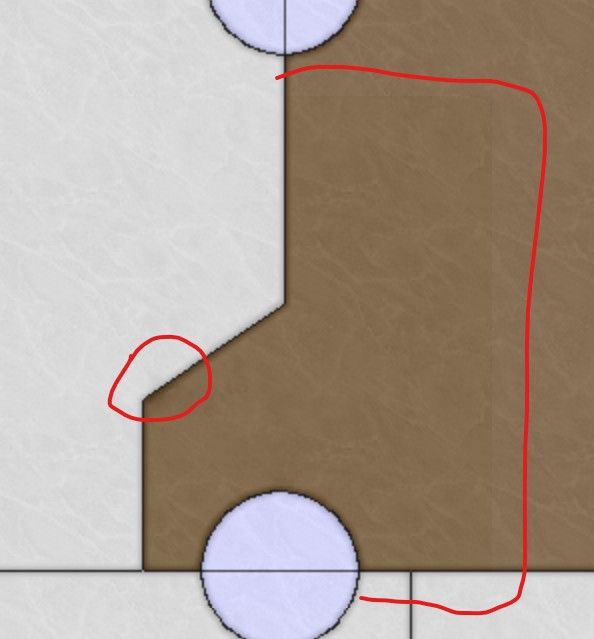
    image.jpeg

    The best thing actually to do is trying to contact the map maker! However, the map maker for NML is Black_Elk, and when I contacted him for North Africa, he didn't reply. But maybe you have more success!

    read more

  • @VictoryFirst

    Hi Victory thank you for your reply!

    Its very unfortunate that i dont have the original overlay that the map used.
    I will see what i can do!

    Cheers!

    read more

  • @ramon Changing the reliefTiles is difficult when you do not have the overlay that the game used. You can actually modify individual tiles, but it is not recommended if the change is across multiple tiles. Assuming that this is the case, you'd need to use the baseline image, change the borders there, and then break it using the tile image breaker. Then, you'd need to open the reliefmap by combining it using the tile image reconstructor. Also open the modified baseline map so that you can see what borders you removed and where the new borders are. To remove borders from the reliefmap, you can do the following. In the images you sent, you can see that the color of the territories isn't empty, it has a black-ish (or white/gray-ish in the other) color with a very low opacity. Try selecting this as color and remove the borders using this color. If you use GIMP, you can select the color using CTRL+click when having the pencil tool selected. Do not make it transparent as you did, that will make the territory shade go away completely. You should not be using the eraser at all, only the pencil tool. To draw new borders, you can select the white border color and use it to draw the new borders. If you lower the opacity of the baseline map and put it above the reliefmap, you can see the new borders and you can trace them. Then you can use the heal tool to make the borders and territory colors look more like the rest of the reliefmap, with different shades of colors. This doesn't necessarily make it look nice though. Even if you do your best, you will still probably have spots with a different shade than the rest of the map, but it's better than nothing.

    One small tip is to past the reliefmap not once several times in GIMP, so that you have like 10 identical layers. This will increase the opacity of the reliefmap. If you then combine all these layers, you essentially have increased the opacity. This allows you to actually see everything properly. You'd still need the heal tool to make the colors blend into each other better. Then you can lower the opacity of the layer so that it is around the same as the original reliefmap.

    Last option is to create your own relief tiles using your own overlay. This might be a lot of work but it would ensure that the map looks nice.

    read more