



• 0 Votes
    9 Posts
    1k Views
    PantherP
    @benabbott1 Also check your settings for "Notifications & Sounds" in your Forum Profile Settings. Sometimes email-notification is set there.
  • Having trouble with PBF

    5
    1 Votes
    5 Posts
    841 Views
    B
    I got it to work thanks
  • How to play Play by Forum

    Moved
    6
    0 Votes
    6 Posts
    1k Views
    Greg AndersonG
    @beelee Thank you! That information was exactly what I was looking for.
  • my computer shows stuff upisde down now

    10
    0 Votes
    10 Posts
    2k Views
    S
    @Hepps the sad thing is dont even have a cat i can blame it on!
  • 3 person maps

    5
    1 Votes
    5 Posts
    722 Views
    F
    Thanks for the suggestions!
  • Issues with Classic edition 2 Transports

    transports
    3
    0 Votes
    3 Posts
    500 Views
    I
    @Panther got it. Thanks. Was just confused cause the tutorial allowed the combo, didn't realize a difference in rules was at play. Thank you for response.
  • who invented triplea?

    3
    0 Votes
    3 Posts
    625 Views
    redrumR
    @SilverBullet That's correct. Sean Bridges is the original creator.
  • No JVM could be found on your system please define exe4j_java_home FIX

    1
    2 Votes
    1 Posts
    482 Views
    No one has replied
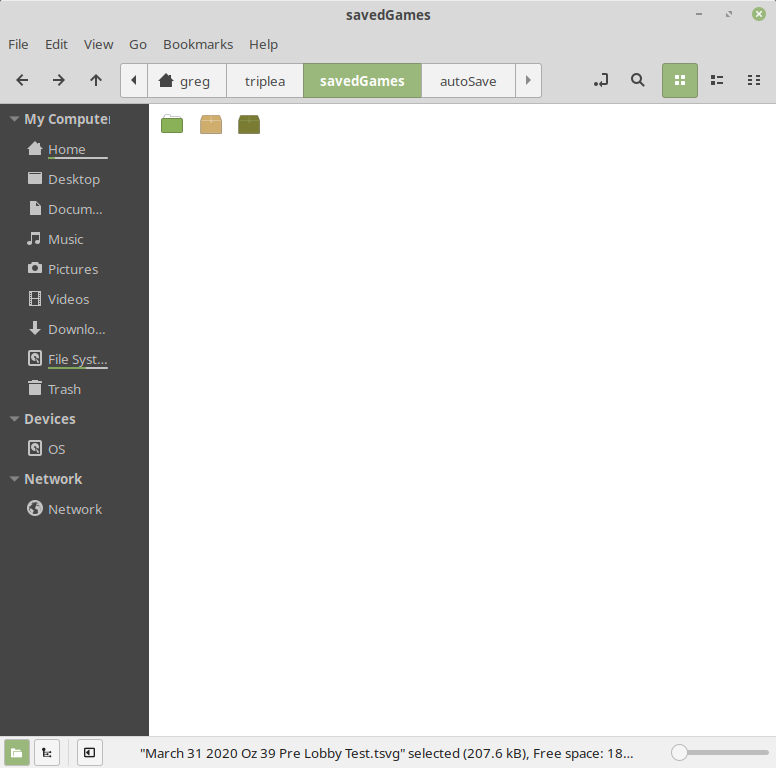
  • Saved Games Folder Not Showing Names

    5
    1
    0 Votes
    5 Posts
    804 Views
    B
    @LaFayette Thank you list view it was. You saved me a lot of time. Thanks again Guys
  • Hosting a bot from Ubuntu server?

    17
    1 Votes
    17 Posts
    3k Views
    LaFayetteL
    FWIW @Michael-Hoover , this is the script we use to download all maps: https://github.com/triplea-game/triplea/blob/master/infrastructure/ansible/roles/bot/templates/download-all-maps.j2 The stuff in {{ }} are template variables, you'll want to remove/update those as necessary.
  • French translation ?

    french translation
    16
    0 Votes
    16 Posts
    3k Views
    LaFayetteL
    FWIW, an HTML version of the rule-book is now available on the user-guides page: https://triplea-game.org/user-guide/ https://triplea-game.org/user-guide/rule-book The formatting is probably quite rough, but at least the content is there in HTML.
  • ERROR: failed while attempting to check for a new version

    3
    0 Votes
    3 Posts
    538 Views
    D
    Thanks, RoiEX. I'll whitelist "githubusercontent.com" and it should work.
  • Can't Get the Debug Console to Display

    Moved
    8
    0 Votes
    8 Posts
    973 Views
    C
    @RogerCooper said in Can't Get the Debug Console to Display: @LaFayette Toggling did not help I confirm this problem. Debug/Show_Console does nothing, and this isn't fixing it (I suppose you or somebody should move this to GitHub, then, if not posting there in the first place).
  • new players entering with multiple ghosts

    6
    0 Votes
    6 Posts
    1k Views
    B
    @SilverBullet said in new players entering with multiple ghosts: @beelee well i am sure it isnt on purpose, it does appear to happen upon entering the lobby, not as much as entering a room. Yea i doubt it is. I think when I did it (had 3 beelees) lol was when I kept joining the game to be a different player because i didn't know how to do it. it was 10 years ago or so. I can't really remember
  • Help needed with the Game

    4
    1
    -1 Votes
    4 Posts
    653 Views
    B
    @RoiEX I'm using Windows 10, latest version, which is working perfectly. However, your comment about the font made me remember that I altered the default Windows font with Winaero tweaker some time ago. So I tried to reset to the original font, and voilá, the game launches without any problems and with the correct/legible font. Thank you very much both for your help!
  • Is there a ledger mod?

    Moved
    12
    0 Votes
    12 Posts
    2k Views
    B
    @SilverBullet said in Is there a ledger mod?: @Cernel ... MP (military police), them guys are tough ... P.S. if talking about a Moderator, a cap "m" means a Moderator a small m is a mod for a game. Yea Jack Reacher types
  • Unable to edit topics in the Announcements section

    15
    0 Votes
    15 Posts
    2k Views
    Captain CrunchC
    @Hepps wow that almost sounded psycho lol. Anyways dude what thread are you trying to troll me on please because if you read the forum it was a belee troll post in the "Guide lines and feature requests" thread ... where only a few people can post because he's a modded troll (duh why??) and so Cernel then pwnt belee and moved my belee pwning post to "Taking your suggestions for a new UI" thread where we can now ez mock the troll so then we discovered there that we can't edit posts in that thread so thats where the actual topic of "being allowed to edit posts in a thread" was raised and so then Rolex shows up and called the "Guide lines and feature requests" thread as an Announcement thread and a special thread where he's now raising the issue of what things should be allowed in threads like non admin/mod posting allowed or being able to edit posts etc. with all of this resulting in people reading this forum's thread are like lolool look at these anal nerd trolls that think we want to be reading this dolt anal spam but anyways I totally gave some nice answer to Rolex about how he explained not allowing editting posts nicely and even gave him a Like and then he gets defensive roofl making people kind of figure that these constant mad nerds haveto abuse commands and threads and not allow editting only because they keep getting pwnt so ez on their other troll aliases and its really sad but funny to me Hepps its called retention and ya I make aliaser trolls mad ez just read the thread wow care more hehe SO EZ nub aliaser trolls. I tell yous they call me a meme on Star Wars my handle is YKO<!>AW5UM my clan is young knights of old -.-
  • PBEM startup issues

    9
    2
    0 Votes
    9 Posts
    1k Views
    PantherP
    @RoiEX That might be.
  • How to play without a computer

    6
    0 Votes
    6 Posts
    933 Views
    Captain CrunchC
    @Frostion
  • AA-fire/casualty selection issues in Revised (and other versions)

    Moved
    131
    0 Votes
    131 Posts
    94k Views
    C
    @bayder said in AA-fire/casualty selection issues in Revised (and other versions): There is still zero reason for the rules to indicate that AA fire should occur in the Combat Move phase. The rules could easily state that AA fire occurs in Conduct Combat and Noncombat Move phases only. If this had been done, then there would be no questions regarding this rule. What I understand is that here you believe that Revised OOB and LHTR work the same way, for flyovers during the Combat Move phase, as there would be no difference between saying that they are resolved at the end of the Combat Move phase or saying that they are resolved during the Conduct Combat phase, but the second formulation being clearer. What I understand, instead, is that, by moving the AA fly over resolution from Combat Move to Conduct Combat, LHTR makes a practically relevant behaviour change, as in Revised OOB you would know the results of all Combat Move fly-overs before resolving any battles, as they already happened in a previous phase, while in Revised LHTR you know then only for the units involved in the current battle, and all the already resolved ones. For example: I have a fighter that flies over an AA gun in a territory "A", then flies over an AA gun in a territory "B", then end movement in a territory "C" (to take part in a battle in there). I also have another fighter that flies over an AA gun in a territory "A" (the same territory that the other fighter is flying over too), then flies over an AA gun in a territory "D", then end movement in a territory "E" (to take part in a battle in there). In Revised OOB, you would resolve the fly overs for: The first fighter in "A" The first fighter in "B" The second fighter in "A" The second fighter in "D" In only one of the following only two possible orders, at your discretion: 1A, 1B, 2A, 2D 2A, 2D, 1A, 1B Then, after resolving all fly overs, you would resolve the battles (with all other units involved in the same battle), comprising, at this point, any battle AA fire, if an AA gun is present in the embattled territory, for: The first fighter in "C", if surviving the fly overs The second fighter in "E", if surviving the fly overs Assuming both fly overs miss, then, during Conduct Combat, either first resolving the "C" battle or first the "E" one, then the other one, at your discretion, no matter if you previously resolved the fly overs for the first fighter (that is now in "C") or the second one (that is now in "E") (of course, if the a fighter is shot down during fly over and was the only attacking unit, then there is no battle, instead). Consequently, in case all fly overs miss, considering Combat Move and Conduct Combat together, you would have all and only the following possible resolution sequences, across the two phases: 1A, 1B, 2A, 2D, C, E 2A, 2D, 1A, 1B, C, E 1A, 1B, 2A, 2D, E, C 2A, 2D, 1A, 1B, E, C (where, for example, "1A, 1B, 2A, 2D, C, E" literally means "at the end of combat move, resolving the flyover in A for the first fighter, then resolving the fly over in B for the first fighter, then resolving the fly over in A for the second fighter, then resolving the fly over in D for the second fighter, then, during Conduct Combat, resolving the battle in C, then resolving the battle in E") In Revised LHTR, instead, during the Conduct Combat phase, fly-overs are all integrated as part of the specific battles where the flying over units are heading to, so you only decide whether first to make the battle in "C" or first to make the battle in "E", and, in this case, you cannot even decide in what order to resolve the fly overs, for each battle, since having only 1 fighter involved in any, for each one, thus being restricted to resolving all fly overs, by their zones movement sequence for the same unit, before resolving the battle that unit may be part of (if surviving all fly overs). Meaning you can only resolve all fly overs and all battles as "1 then 2" or "2 then 1", where 1 and 2 are the following sequences: 1- Making the battle in "C", you first resolve the fly over for the first fighter in "A", then (if surviving) resolve the fly over for the first fighter in "B", then resolve the rest of the battle in "C", with the first fighter participating, and possibly being hit by an AA gun in the embattled territory, if surviving both fly overs. 2- Making the battle in "E", you first resolve the fly over for the second fighter in "A", then (if surviving) resolve the fly over for the second fighter in "D", then resolve the rest of the battle in "E", with the first fighter participating, and possibly being hit by an AA gun in the embattled territory, if surviving both fly overs. Meaning that you have only the option of resolving them in any one of only the following two sequences: 1A, 1B, C, 2A, 2D, E 2A, 2D, E, 1A, 1B, C (where, for example, "1A, 1B, C, 2A, 2D, E" literally means "resolving the flyover in A for the first fighter, then resolving the fly over in B for the first fighter, then resolving the battle in C, then resolving the fly over in A for the second fighter, then resolving the fly over in D for the second fighter, then resolving the battle in E") The substantial difference being that, as said, in Revised OOB you know all fly over results, for Combat Movement, before resolving any battles, but you never know battle outcomes before resolving any fly overs, while in Revised LHTR, you cannot know all fly over results before resolving any battles (unless only one battle has any fly overs and you resolve that battle first, but, even in this case, the flyovers are technically part of the battle itself, not happening before it), but you may have or decide to resolve battles before fly overs, which is going to be actually inevitable if you have more than one battle with fly overs or if the battle with the fly overs is also an amphibious assault from an hostile sea zone, meaning, in the example, that, if you decide first to resolve the battle in "C", you have to do so without knowing the fly over results for the second fighter, until after that battle is over, while, if you decide first to resolve the battle in "E", you have to do so without knowing the fly over results for the first fighter, until after that battle is over. However, I have to say I'm not sure of what I'm saying, so please @Panther check this all out, and let me know if my understanding is fully correct. Of course, other than what above, if all correct, the only other difference for Revised OOB, over Revised LHTR, is that, in Revised OOB, you practically have the exactly same fly over resolutions for Non Combat Move, as well, to be resolved the exactly same way as the ones happening during Combat Move, except only that you must resolve those of air units coming back from battles before plotting any other, or rather actual, non combat movements, thus any other fly overs, this being factually realized by having the fly overs for air units that participated in battles happening during the Conduct Combat phase (but, in practice, they are all non combat movements too, merely anticipated during the Conduct Combat phase), but only after all battles have been resolved. In practice, the whole system is exactly like having two Non Combat Move phases, after Conduct Combat, that work under exactly the same rules except only that, in the first one, you can only move air units that took part in battles (and must move them, if having any possible landing spots, possibly plotting carrier movements happening in the next phase), while, in the second one, you can move anything else, and having the fly overs resolved at the end of each of these two Non Combat Move phases, under the same dynamics as when resolving them at the end of the Combat Move phase.

Recent Posts

  • I'm able to log in to git after the machine meltdown but it won't let me clone my repo. This is what I get

    beelee@beelee-ThinkPad-T560:~$ mkdir git-repos
    beelee@beelee-ThinkPad-T560:~$ cd git-repos
    beelee@beelee-ThinkPad-T560:~/git-repos$ git clone git@github.com:triplea-maps/global_40_expansion_uhd_boxes.git
    Cloning into 'global_40_expansion_uhd_boxes'...
    The authenticity of host 'github.com (140.82.114.4)' can't be established.
    ED25519 key fingerprint is SHA256:+DiY3wvvV6TuJJhbpZisF/zLDA0zPMSvHdkr4UvCOqU.
    This key is not known by any other names.
    Are you sure you want to continue connecting (yes/no/[fingerprint])? y
    Please type 'yes', 'no' or the fingerprint: yes
    Warning: Permanently added 'github.com' (ED25519) to the list of known hosts.
    git@github.com: Permission denied (publickey).
    fatal: Could not read from remote repository.

    Please make sure you have the correct access rights
    and the repository exists.
    beelee@beelee-ThinkPad-T560:~/git-repos$ git clone git@github.com:triplea-maps/global_40_expansion_uhd_boxes.git
    Cloning into 'global_40_expansion_uhd_boxes'...
    git@github.com: Permission denied (publickey).
    fatal: Could not read from remote repository.

    Please make sure you have the correct access rights
    and the repository exists.
    beelee@beelee-ThinkPad-T560:~/git-repos$ https://github.com/triplea-maps/global_40_expansion_uhd_boxes.git
    bash: https://github.com/triplea-maps/global_40_expansion_uhd_boxes.git: No such file or directory
    beelee@beelee-ThinkPad-T560:~/git-repos$ git clone gh repo clone triplea-maps/global_40_expansion_uhd_boxes
    fatal: Too many arguments.

    usage: git clone [<options>] [--] <repo> [<dir>]

    -v, --[no-]verbose be more verbose -q, --[no-]quiet be more quiet --[no-]progress force progress reporting --[no-]reject-shallow don't clone shallow repository -n, --no-checkout don't create a checkout --checkout opposite of --no-checkout --[no-]bare create a bare repository --[no-]mirror create a mirror repository (implies bare) -l, --[no-]local to clone from a local repository --no-hardlinks don't use local hardlinks, always copy --hardlinks opposite of --no-hardlinks -s, --[no-]shared setup as shared repository --[no-]recurse-submodules[=<pathspec>] initialize submodules in the clone --[no-]recursive ... alias of --recurse-submodules -j, --[no-]jobs <n> number of submodules cloned in parallel --[no-]template <template-directory> directory from which templates will be used --[no-]reference <repo> reference repository --[no-]reference-if-able <repo> reference repository --[no-]dissociate use --reference only while cloning -o, --[no-]origin <name> use <name> instead of 'origin' to track upstream -b, --[no-]branch <branch> checkout <branch> instead of the remote's HEAD -u, --[no-]upload-pack <path> path to git-upload-pack on the remote --[no-]depth <depth> create a shallow clone of that depth --[no-]shallow-since <time> create a shallow clone since a specific time --[no-]shallow-exclude <revision> deepen history of shallow clone, excluding rev --[no-]single-branch clone only one branch, HEAD or --branch --no-tags don't clone any tags, and make later fetches not to follow them --tags opposite of --no-tags --[no-]shallow-submodules any cloned submodules will be shallow --[no-]separate-git-dir <gitdir> separate git dir from working tree -c, --[no-]config <key=value> set config inside the new repository --[no-]server-option <server-specific> option to transmit -4, --ipv4 use IPv4 addresses only -6, --ipv6 use IPv6 addresses only --[no-]filter <args> object filtering --[no-]also-filter-submodules apply partial clone filters to submodules --[no-]remote-submodules any cloned submodules will use their remote-tracking branch --[no-]sparse initialize sparse-checkout file to include only files at root --[no-]bundle-uri <uri> a URI for downloading bundles before fetching from origin remote

    beelee@beelee-ThinkPad-T560:~/git-repos$ gh repo clone triplea-maps/global_40_expansion_uhd_boxes
    Command 'gh' not found, but can be installed with:
    sudo snap install gh # version 2.86.0-112-gc30647b78, or
    sudo apt install gh # version 2.45.0-1ubuntu0.3
    See 'snap info gh' for additional versions.
    beelee@beelee-ThinkPad-T560:~/git-repos$ sudo snap install gh # version 2.86.0-112-gc30647b78
    [sudo] password for beelee:
    error: This revision of snap "gh" was published using classic confinement and thus may perform
    arbitrary system changes outside of the security sandbox that snaps are usually confined to,
    which may put your system at risk.

    If you understand and want to proceed repeat the command including --classic.

    beelee@beelee-ThinkPad-T560:~/git-repos$ sudo apt install gh # version 2.45.0-1ubuntu0.3
    Reading package lists... Done
    Building dependency tree... Done
    Reading state information... Done
    The following NEW packages will be installed:
    gh
    0 upgraded, 1 newly installed, 0 to remove and 91 not upgraded.
    Need to get 8,836 kB of archives.
    After this operation, 45.4 MB of additional disk space will be used.
    Get:1 http://us.archive.ubuntu.com/ubuntu noble-updates/universe amd64 gh amd64 2.45.0-1ubuntu0.3 [8,836 kB]
    Fetched 8,836 kB in 1s (6,534 kB/s)
    Selecting previously unselected package gh.
    (Reading database ... 215818 files and directories currently installed.)
    Preparing to unpack .../gh_2.45.0-1ubuntu0.3_amd64.deb ...
    Unpacking gh (2.45.0-1ubuntu0.3) ...
    Setting up gh (2.45.0-1ubuntu0.3) ...
    Processing triggers for man-db (2.12.0-4build2) ...
    beelee@beelee-ThinkPad-T560:~/git-repos$ git clone gh repo clone triplea-maps/global_40_expansion_uhd_boxes
    fatal: Too many arguments.

    usage: git clone [<options>] [--] <repo> [<dir>]

    -v, --[no-]verbose be more verbose -q, --[no-]quiet be more quiet --[no-]progress force progress reporting --[no-]reject-shallow don't clone shallow repository -n, --no-checkout don't create a checkout --checkout opposite of --no-checkout --[no-]bare create a bare repository --[no-]mirror create a mirror repository (implies bare) -l, --[no-]local to clone from a local repository --no-hardlinks don't use local hardlinks, always copy --hardlinks opposite of --no-hardlinks -s, --[no-]shared setup as shared repository --[no-]recurse-submodules[=<pathspec>] initialize submodules in the clone --[no-]recursive ... alias of --recurse-submodules -j, --[no-]jobs <n> number of submodules cloned in parallel --[no-]template <template-directory> directory from which templates will be used --[no-]reference <repo> reference repository --[no-]reference-if-able <repo> reference repository --[no-]dissociate use --reference only while cloning -o, --[no-]origin <name> use <name> instead of 'origin' to track upstream -b, --[no-]branch <branch> checkout <branch> instead of the remote's HEAD -u, --[no-]upload-pack <path> path to git-upload-pack on the remote --[no-]depth <depth> create a shallow clone of that depth --[no-]shallow-since <time> create a shallow clone since a specific time --[no-]shallow-exclude <revision> deepen history of shallow clone, excluding rev --[no-]single-branch clone only one branch, HEAD or --branch --no-tags don't clone any tags, and make later fetches not to follow them --tags opposite of --no-tags --[no-]shallow-submodules any cloned submodules will be shallow --[no-]separate-git-dir <gitdir> separate git dir from working tree -c, --[no-]config <key=value> set config inside the new repository --[no-]server-option <server-specific> option to transmit -4, --ipv4 use IPv4 addresses only -6, --ipv6 use IPv6 addresses only --[no-]filter <args> object filtering --[no-]also-filter-submodules apply partial clone filters to submodules --[no-]remote-submodules any cloned submodules will use their remote-tracking branch --[no-]sparse initialize sparse-checkout file to include only files at root --[no-]bundle-uri <uri> a URI for downloading bundles before fetching from origin remote

    beelee@beelee-ThinkPad-T560:~/git-repos$ gitclone gh repo clone triplea-maps/global_40_expansion_uhd_boxes
    gitclone: command not found
    beelee@beelee-ThinkPad-T560:~/git-repos$

    I knew things were going too smoothly 🙂

    Any help is appreciated

    Edit
    OK I figured it out. Had to switch to https

    Screenshot from 2026-05-03 04-53-07.png

    Edit 2
    and the struggle continues lol

    Screenshot from 2026-05-03 04-57-39.png

    Edit 3
    Cheese and rice what minor nightmare that was lol. I guess I'll just delete this massive wall lol Idk that it'll really help anyone. they can just ask there AI buddy lol

    Edit 4
    Well actually it won't let me delete it 🙂

    So yea follow the prompts so they can tell who you are and then you create a new token by going to your personal git avatar and

    Settings → Developer settings → Personal access tokens

    Be real deliberate when you do the token. If you're in a hurry just wait and do it some other time 🙂

    read more

  • Heard. I understand it was convenient.

    We are so close to the 2.7 release model where every prerelease is the official download. The hope is you won't miss the link for long

    read more

  • @poptech
    Indeed, it used to be there until the redesign of the website.
    I would welcome it back, too, maybe in the "Development"-Section on the bottom of the Download page.

    cc: @LaFayette

    read more

  • The pre-release link is missing from the official download page.

    read more
