@dannyduck716
Duckworth�s House Rules � A&A Global �40
New Units:
Marines:
Cost = 5
Amphibious Attack = 2
Can be transported on Cruisers and Battleships
Otherwise act the same as Infantry
Cruiser:
Cost = 10
Battleship:
Cost = 16
Tactical Bomber:
Cost = 10
Combined Arms Additions:
1:1 Cruiser combined with Battleship, Cruiser stats to:
Attack: 4
Defense: 4
New units are no problem
Factions:
The United Kingdom no longer has a split income. UK Europe and UK Pacific are now tracked as a single country.
Easy enough to do
Research And Development:
Research and development is done in phases for each nation. Each nation may choose the number of technologies to research equivalent to their number of MAJOR Factories on the world map. This means at the start of the game, the following nations may advance research:
Germany: 2 Techs
Russia: 1 Tech
Japan: 1 Tech
USA: 0 Techs
China: 0 Techs (China will never research)
UK: 2 Techs
Italy: 1 Tech
ANZAC: 0 Techs
France: 1 Tech (Assuming they maintain control of their Major Factory)
Researching Technology is free. All Techs require three phases to complete. At the beginning of the Research and Development phase, a nation which Techs it plans to advance in phase. Techs can only advance one phase per turn and a player may not elect to roll more than one factory per Tech. The player will than roll 2D6 to see if they are successful in advancing the Tech. A roll of 7 or HIGHER will advance the Tech to the next phase. A roll of 12 will result in a BREAKTHROUGH and the Tech will automatically go into effect regardless of which phase it was in.
Upon completion of the third phase of a Tech, the Tech will go into effect immediately. The available Technology options are:
Advanced Artillery: Each of your artillery units can now provide greater support. One artillery unit can support up to 2 infantry and/or mechanized infantry units per attack. Up to 2 infantry and/or mechanized infantry when coupled with 1 artillery unit have attack values of 2.
Rockets: Your airbases can now launch rockets. During the Strategic and Tactical Bombing Raids step of your Combat Phase each turn, each of your operative air bases can make a single rocket attack against an enemy industrial complex, air base, or naval base within 4 spaces of it. This attack does 1D6 damage to that facility. Rockets may not be fired over neutral territories.
Wartime Economy: During the Collect Income Phase, roll 1D6 and collect that many additional IPCs. This additional income can only be applied if a nation is AT WAR. In addition, all Major Factories can now mobilize up to 12 units and Minor Factories can now mobilize up to 4 units per turn. Also, when repairing damaged structures (Factories, Air Bases, Naval Bases) the cost is reduced by half. In case of an odd number, round the cost up (ex. 3 damage would cost 2 IPCs to repair).
Improved Mechanized Infantry: Each of your mechanized infantry units that is paired up with a tank or an artillery now has an attack value of 2. Also, your mechanized infantry may now blitz without being paired with a tank.
Paratroopers: Up to 2 of your infantry units in each territory with an airbase can be moved to an enemy-controlled territory 3 or fewer spaces away that is being attacked by your land units from adjacent territories and/or by amphibious assault. When moving, paratroopers must obey the same restrictions that air units do. If the territory being attacked has AAA units, the paratrooper infantry units are subject to AAA fire in the same way as air units. Paratroopers may retreat as normal.
Super Submarines: The attack value of your submarines is now 3 instead of 2 and movement is now 3 spaces instead of 2 (4 is launched from a Naval Base).
Jet Fighters: The attack value of your fighters is now 4 instead of 3. In addition, during bombing raids your escorting or intercepting fighters now hit on a �1� or �2� instead of just a �1�.
Improved Shipyards: Your naval units are now cheaper to build. The cost of ALL naval units including Marines is reduced by 1 IPC.
Radar: Your fire, both from AAA units and facilities, now hits on a �1� or �2� instead of just a �1�.
Long Range Aircraft: All of your air units� ranges are increased by 1.
Heavy Bombers: Your strategic bombers are now heavy bombers. When attacking, whether in a battle or a strategic bombing raid, roll two dice for each bomber and select the best result.
Players made obtain additional research opportunities by constructing additional MAJOR Factories. The standard rules for placing Major Factories still applies.
The phased tech rules can't be supported by TripleA
Additional National Objectives:
Germany:
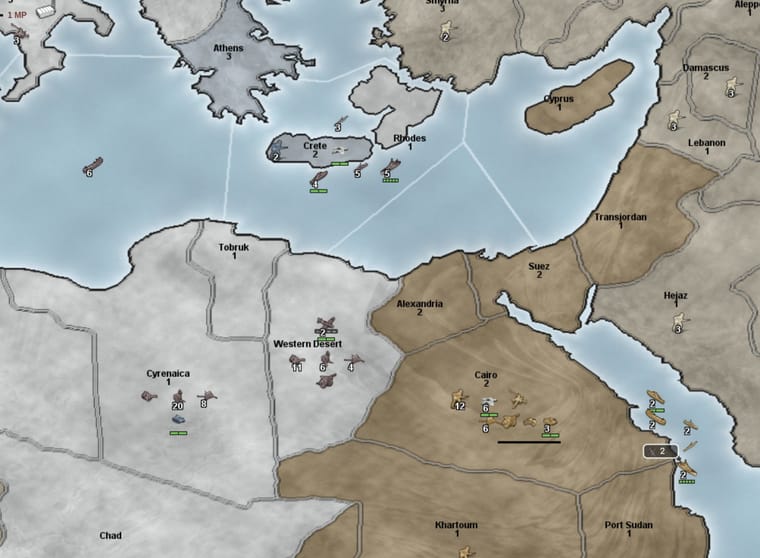
2 IPCs if Romania, Yugoslavia, Albania, Bulgaria, Greece, and Crete are Axis Controlled
5 IPCs if there is at least one German land unit in either London or Egypt
Russia:
3 IPCs if Russia is at war with European Axis, and there are no non-Russian Allied units in any originally Russian territory
3 IPCs for each originally held German, Italian or Pro-Axis Neutral territory that Russia controls in mainland Europe
2 IPCs for each of the following lend-lease lanes that is �open� (i.e. the specified Sea Zone has no enemy warships and the specified territory is Allied controlled) when Russia is at war with European Axis beyond round 2: (1) SZ 125, Archangel; (2) SZ 80, Persia; (3) SZ 5, Amur
An additional 2 IPCs per each �open� lend-lease lane, when Russia is at war with European Axis, if Japan has also declared war on Russia
Note: An Axis power may not move its units into originally Russian territory unless that Axis power is at war with Russia. Also, when not at war with Japan, Russia may not move its units into any non-Russian Allied territory in Asia, other than Syria, Trans-Jordan, Iraq, Persia, NorthWest Persia, and East Persia. The National Objective for Russia's first capture of Berlin has been removed.
Japan:
5 IPCs if Axis controls Dutch New Guinea, New Guinea, New Britain and Solomon Islands
5 IPCs if Axis controls Midway, Wake Island, Guam
3 IPCs if Japan control Iwo Jima and Okinawa and is at war with the United States
USA:
5 IPCs if USA is at war and Allies control Midway, Wake Island, Guam
5 IPCs if USA is at war and Allies control Marshall Islands, Caroline Islands, Paulau Island, Marianas
5 IPCs if Allies control at least 2 of: Normandy Bordeaux, Holland Belgium, Southern France, and the USA has at least one land unit in any one of these territories
5 IPCs if Allies control Morocco, Algeria, Tunisia and USA has at least one land unit in any of these territories
China:
3 IPCs if Allies control Yunnan, Szechwan, Burma and India
At the start of China�s turn, a Chinese Infantry is spawned in each non-coastal Chinese territory under Axis control that is not garrisoned by at least one Axis land unit. These units may not be moved until the next turn.
UK:
3 IPCs if UK Europe controls all its original territories
3 IPCs if Allies control at least 2 of: Sicily, Sardinia, Greece, Southern Italy, and the Allies have at least one land unit in any of these territories
3 IPCS if there are no enemy submarines in the Atlantic, excluding SZ 112 and 125-127
3 IPCs if Malta, Crete, and Cyprus are Allied or Pro-Allied controlled
FEC:
3 IPCs when at war with Japan if: British control West India and either Egypt or South Africa and there are no enemy submarines in the western half of the Indian Ocean (SZ 71-SZ 81)
3 IPCs when at war with Japan if Malaya and Kwantung are Allied controlled
Italy:
3 IPCs if Malta, Cyprus, and Crete are Axis controlled
ANZAC:
3 IPCs if ANZAC is at war with Japan and Dutch New Guinea, New Guinea, New Britain and Solomon Islands are controlled by the Allies
3 IPCs if ANZAC is at war with Japan and Solomon Islands, Gilbert Islands, Fiji, and Samoa are Allied controlled
3 IPCS if ANZAC is at war with Japan, controls all of its original territories and Malaya is Allied controlled
All these national objectives can be supported
Vichy France Rules:
Game Conditions for Franco-German Armistice
At the beginning of France's turn, if the following conditions are met, the Franco-German Armistice will occur:
Axis has control of both France and Normandy Bordeaux;
Axis has never controlled Southern France; and
There are no non-French, Allied land units in Southern France.
Game Consequences of Franco-German Armistice
French Territorial Control: At the beginning of France's first turn in which Armistice conditions are met, all originally French territories not already under Axis control immediately change ownership to Pro-Axis Neutrals, except: (1) French Equatorial Africa; (2) New Hebrides; (2) any French territories containing non-French allied land units.
Any non-French allied air units in Vichy-controlled territory are destroyed upon conversion of the territory to Vichy control.
With the exception of Southern France (see discussion of "Zone Libere" below), Vichy French territory operates the same way as other Pro-Axis Neutral territory. An Axis player may capture Vichy French territory and commandeer its forces by moving a land unit into the territory during the non-combat phase of his turn.
Fly-over restrictions applicable to other Neutral territories do not apply to Vichy French territory.
Fleet at Toulon: In addition to the change in French territorial control, the Armistice changes control of the French fleet. Roll 2D6 for each ship to determine the results:
A roll of 4 or less: Ship remains Free French and immediately sails out of the Mediterranean to SZ 91
A roll of 5: Ship is captured by British Commandos, replace it with a British ship of same type and place in SZ 91
A roll of 6-8: Ship is scuttled by Free French resistance, remove it from the board
A roll of 9: Ship is captured by Italian forces, replace with Italian ship of same type
A roll of 10 or higher: Ship is captured by German forces, replace with German ship of same type
"Zone Libre": Any Axis occupation of Southern France following the Armistice results in the scuttling of the Vichy French Fleet at Toulon and the disbandment of all remaining Vichy French forces. These forces are removed at the end of the Axis player's turn in which the occupation of Southern France takes place. Any formerly Vichy French forces that were previously commandeered by the Axis are unaffected by this change.
Armistice's Effect on National Objectives: Following the armistice, Southern France is considered Axis-controlled for purposes of Italy's "Roman Empire" objective. Otherwise, the Vichy France arrangement has no impact on National Objectives. Tunisia, Algeria and Morocco must still be directly occupied by Germany or Italy to achieve Italy's "North Africa" objective. Japanese occupation of French Indo China still negates Japan's "Trade With America" objective.
Liberation of France: The Allied liberation of France effectively terminates the Armistice. Any territory and forces still under Vichy French control revert back to Free French control. The Vichy French forces in the Southern France and will also revert back if Southern France is liberated by the Free French.
This is difficult but doable. The rules should simplified.
Other Rules:
Placing Naval Units in Enemy-Occupied Sea Zones: With this new rules variation, you may place new naval units in enemy-occupied sea zones adjacent to industrial complexes you have owned since the beginning of your turn. It is up to your enemy to either retreat from the sea zone or attack your ships.
This is a game property
Neutrality Rules/Diplomacy:
Neutral Territories can be persuaded to join a country�s war effort before the Weapons Development Phase.
Available to AXIS: Germany, Japan, Italy
Available to ALLIES: United Kingdom, United States, Russia, ANZAC (1 per turn)
Neutral Territories are identified in one of three categories:
Pro-Axis
True Neutral
Pro-Allies
The Diplomacy Cup starts the game with 14 chips
No Event = 10 chips (gray)
Pro-Axis = 2 chips (red)
Pro-Allies = 2 chips (green)
During the Diplomacy Phase, a country at war may make up to 2 Actions spending 1 IPC for each Diplomatic Action. The exception to this is ANZAC who only has a minor influence and can only make 1 Action.
The number of Diplomatic Actions must be declared prior to making any attempts
Diplomatic Action: ADD:
Countries NOT AT WAR may only spend to ADD No Event Chips
Countries AT WAR may ADD any chip of their choosing
Diplomatic Action: PULL:
Is only available starting in the 4th round
Only one PULL action can be made per territory
The targeted territory MUST be declared prior to pulling a chip
Territories of Zero IPC value still offer 1 INF unit in the Mobilize Units Phase or in Defense of itself
Possible Outcomes:
A No Event Chip is pulled:
Nothing happens. Put this marker back in the Diplomacy Cup AFTER finishing all Diplomacy Actions. Better luck next time.
Political Failure: This represents negotiation breakdowns, political coups, allies acting independently, etc. The terms �friendly� or �enemy� below refer to the applying faction. Do Not put marker back in the Diplomacy Cup. Neutral Territory activation happens in the Mobilize Units Phase.
�has no Pro-[Faction] marker in it, put an enemy Pro[Faction] marker on that territory
�has an enemy Pro-[Faction] marker in it, that neutral territory activates and joins the enemy faction
�has a friendly Pro[Faction] marker in it, remove that marker
Political Success: The faction applying this must do one of the following. The terms �friendly� or �enemy� below refer to the applying faction. Do Not put marker back in the Diplomacy Cup. Neutral Territory activation happens in the Mobilize Units Phase.
�has no Pro-[Faction] marker in it, put a friendly Pro-[Faction] marker on that territory
�has a friendly Pro-[Faction] marker in it, that neutral territory activates and joins the friendly faction
�has an enemy Pro-[Faction] marker in it, remove that marker
Pro-[Faction] territories can still be activated by units of the aligned faction during Non-Combat Move Phase per the original rules.
These rules are too complicated to be supported by TripleA. A simplified version is possible
I don't think anyone else is going to implement these rules. You could learn to mod yourself, basic modding is not hard.