


Subcategories

  • Activate Trigger

    2
    0 Votes
    2 Posts
    560 Views
    B
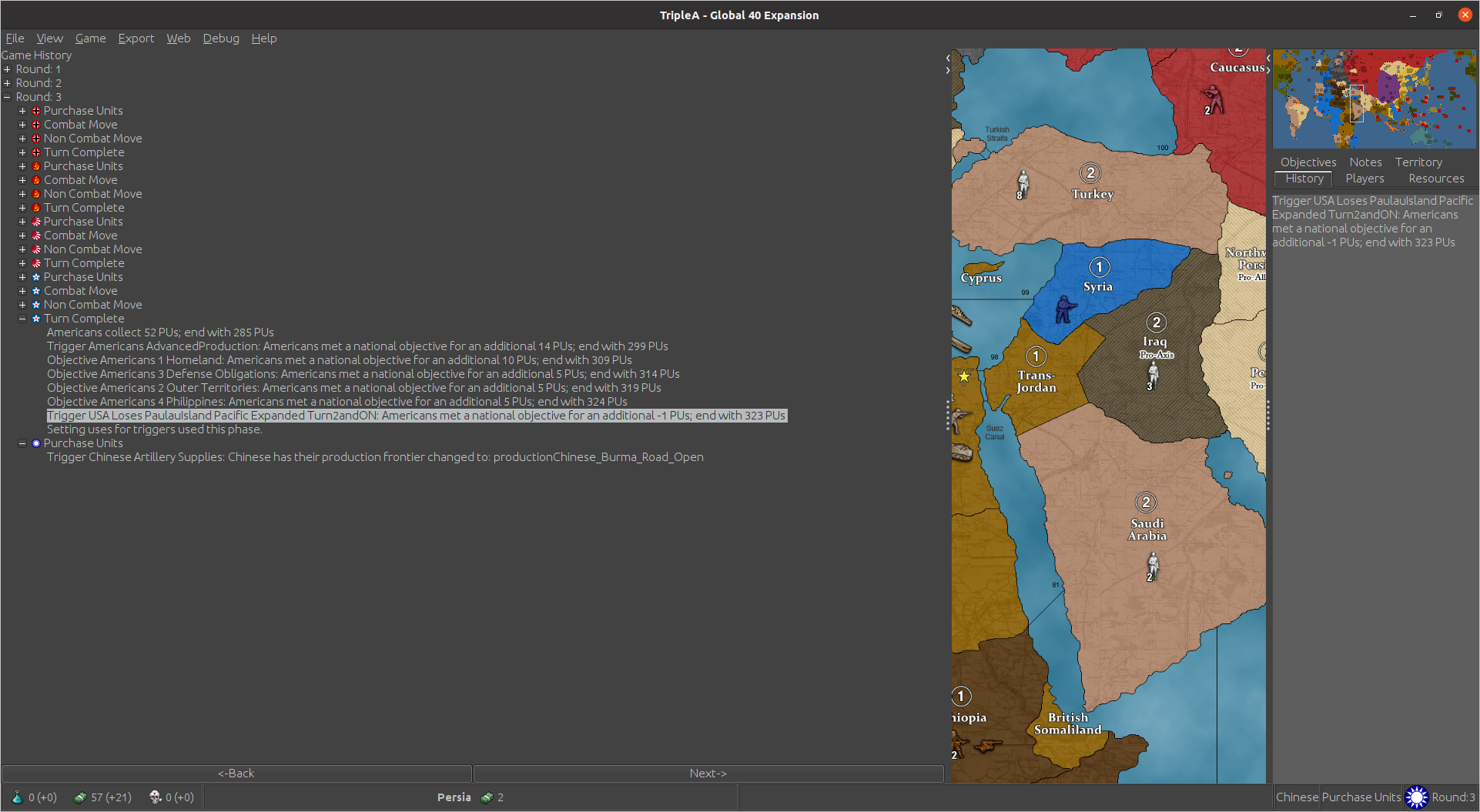
    Unfortunately i have a bigger problem now. When having more than 1 trigger, they will both fire sometimes. I've tried multiple combinations with "when" and without it. Tried changing the trigger"true:true:false:false" to different combinations. No joy. This is my latest attempt <attachment name="triggerAttachment_USA_Loses_Marianas_Pacific_Expanded_Turn2andON" attachTo="Americans" javaClass="games.strategy.triplea.attachments.TriggerAttachment" type="player"> <option name="conditions" value="conditionAttachment_Americans_ControlMarianasInvert:conditionAttachmentTurn3"/> <option name="resource" value="PUs"/> <option name="resourceCount" value="-1"/> <option name="uses" value="1"/> <option name="when" value="before:americansEndTurn"/> </attachment> <attachment name="triggerAttachment_USA_Loses_Marianas_Pacific_Expanded_Turn2" attachTo="Americans" javaClass="games.strategy.triplea.attachments.TriggerAttachment" type="player"> <option name="conditions" value="conditionAttachment_Americans_LoseEXPMarianasTurn2:conditionAttachmentTurn2"/> <option name="resource" value="PUs"/> <option name="resourceCount" value="-1"/> <option name="uses" value="1"/> <option name="when" value="after:americansNonCombatMove"/> <option name="activateTrigger" value="triggerAttachment_USA_Loses_Marianas_Pacific_Expanded_Turn2andON:1:true:true:false:false"/> </attachment> I have the same trigger for Paulau Island. Named differently of course. What I want, is to have the "activate trigger" trigger fire only after the trigger that activates it fires. What happens is, the USA takes Marianas from JPN. This activates a PU boost. USA gets it. Next rd, Turn 2, JPN takes Marianas. They now get the PU boost and the USA receives a negative PU boost. This activates the trigger which has Turn 3 as a condition for it to fire, but it fires anyway, even though it's still turn 2. So when USA takes over Marianas they get a PU boost. When JPN takes it back, the USA gets a negative one. This works correctly. I want the USA to continue to receive a negative bonus until they take it back. This is not working. I use "battle" in the conditions for the first trigger, then "directOwnership" invert for the trigger to activate. Meaning Rd1 USA takes Marianas and gets a PU boost. Then if USA loses control the next turn, which is JPN attacking USA and having a battle <option name="battle" value="Japanese:Americans:any:2-3:Marianas"/> it will activate the trigger which should then fire on turn 3 if USA doesn't control Marianas. So condition Turn 3 and InvertOwnership, that way it would still get the negative bonus without a battle on turn 3. Hmm ... I don't like how I explained this but I'll just leave it for now.
  • Keeping areas very realistic in Mercator projection

    13
    0 Votes
    13 Posts
    4k Views
    LaFayetteL
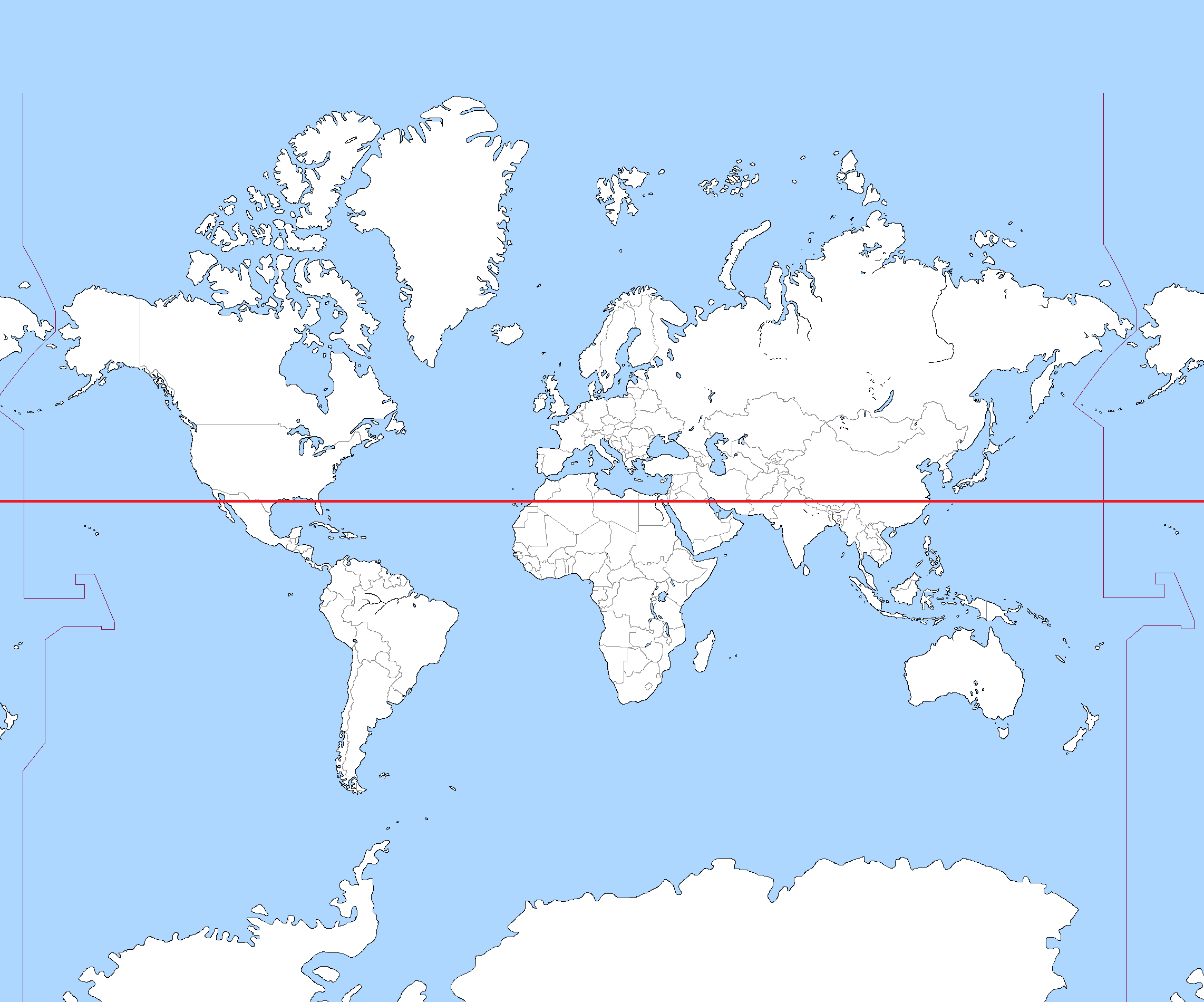
    Slightly off topic, but I thought y'all might enjoy this read: https://www.mapbox.com/blog/adaptive-projections
  • Aggression 1942 Map Upload

    1
    1 Votes
    1 Posts
    445 Views
    No one has replied
  • Question about Convoy Centers

    2
    0 Votes
    2 Posts
    1k Views
    C
    @schulz Yes: set the original owner to the nation and the owner initialize to the enemy.
  • battleType

    1
    0 Votes
    1 Posts
    375 Views
    No one has replied
  • Changing a productionFrontier

    8
    0 Votes
    8 Posts
    2k Views
    N
    @wc_sumpton That's it. Now it works. Thx
  • "whenHitPointsDamagedChangesInto"

    1
    0 Votes
    1 Posts
    441 Views
    No one has replied
  • 1 Votes
    3 Posts
    2k Views
    SchulzS
    @cernel "Russia" territory in vX series not only represent Moscow, it represent all the areas between Moscow and Ural Mountains v3 actually proved that Manchuria-Moscow distance can be increased but in the expense of making Japan incredibly strong to keep game balance. It actually changed nothing since it is still amost always better to go Atlantic only as USA. Plus there is still no reason to not attack Russia and Japan and take almost all Siberia. If there is a Hawaiian factory and Germany can be reasonably countered without USA (like in Big World or WaW), a Pacific war is a guarantee thing but expense of (unhistorically) lack of significant US presence in Europe. But we would still have no two ocean going USA. It is easy to make Pacific an active front, hardest thing is making the actual US approach in WWII (%80 Atlantic-%20 Pacific) is a good choice rather than going only Atlantic and Pacific. I think the issue is actually based on having naval units too expensive compared to ground units and lack of more defense oriented sea units hence making a Pacific war worthless investment as USA.
  • offset round="0"

    5
    0 Votes
    5 Posts
    1k Views
    B
    @lafayette right on yea I wanted to have a "map option" activate which rd the game would start for games that have multiple scenarios with different start dates. That way I could keep it all in 1 xml and not have to update multiple ones. Only way I know of, is to make a trigger for each instance that would need adjusting, which is a lot. I thought if it was possible to only do a couple code lines and bingo, it would be sweet lol
  • How to place units in allied or major/minor territory?

    11
    0 Votes
    11 Posts
    3k Views
    U
    @thedog said in How to place units in allied or major/minor territory?: I would try creating more units, the indian units will need to end with say; Indian units Infantry_in Tanks_in factory_in These units must specify the factory they can be produced from with <option name="requiresUnits" value="factory_in/> British units Tanks_br Fighter_br factory_br These units must specify the factory they can be produced from with <option name="requiresUnits" value="factory_br"/> Then the two factories can produce only their national units. In your idea you will get units produced by the faction on its own factory located in its own territory? If "yes", then, sorry, your idea is not relevant to this topic.
  • How to calculate TripleA Political Allied Victory?

    4
    0 Votes
    4 Posts
    674 Views
    RogerCooperR
    @thedog Take a look at these objectives from Global <attachment name="objectiveAttachment_Italians_3_North_Africa" attachTo="Italians" javaClass="games.strategy.triplea.attachments.RulesAttachment" type="player"> <option name="objectiveValue" value="5"/> <option name="alliedOwnershipTerritories" value="Alexandria:Morocco:Algeria:Tunisia:Tobruk:Libya" count="6"/> </attachment> <attachment name="objectiveAttachment_Italians_4_Control_Iraq_Or_Persia_Or_Northwest_Persia" attachTo="Italians" javaClass="games.strategy.triplea.attachments.RulesAttachment" type="player"> <option name="objectiveValue" value="2"/> <option name="directOwnershipTerritories" value="Iraq:Persia:Northwest Persia" count="each"/> </attachment> Attachment 3 counts the number of territories held by Italy and the other Axis powers. Although this is an objective attachment, it could just as easily be a triggered victory. Attachment 4 counts only the territories held by Italy ("directOwnership").
  • placement/removeUnits Question

    Moved
    23
    0 Votes
    23 Posts
    9k Views
    N
    @thedog now everything works!
  • How to represent cliffs and rocky shores?

    4
    1 Votes
    4 Posts
    871 Views
    ubernautU
    @thedog lookin good
  • error message - StringIndex

    9
    1 Votes
    9 Posts
    1k Views
    N
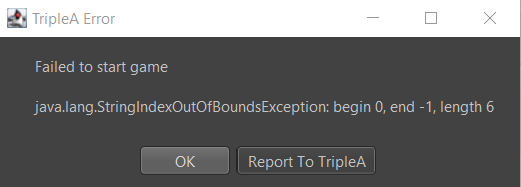
    @beelee I have only comment no ..close with comment
  • IsDestroyer

    13
    1 Votes
    13 Posts
    2k Views
    TorpedoAT
    @numetalfan No. Its just my personal modded game based on NWO 5 Nations map. But i think there are some maps out there which are using negative and positive support attachments. What do you need exactly? More details about how to structure a support attachment based rock scissor paper element into a game? Feel free to ask. I will do as much as i can to help you with anything i am able to do.
  • objectiveAttachment neutral countries

    8
    0 Votes
    8 Posts
    2k Views
    B
    @numetalfan said in objectiveAttachment neutral countries: unfortunately it does not display the objective result for the player in the game, ... You mean it doesn't show up in the Objectives tab with the other Objectives ? If so you need to add it to the "objectives.properties" Also, when you collect income, it will mention it and record it in History
  • 0 Votes
    7 Posts
    1k Views
    RogerCooperR
    @zlefin Yes, you could create a trigger like that. You would check against "directPresence" and change control to a neutral player.
  • 1 Votes
    2 Posts
    485 Views
    TheDogT
    I had <option name="canBeDamaged" value="true"/> <option name="canDieFromReachingMaxDamage" value="true"/> <option name="maxDamage" value="2"/> To stop the error add the following to the same unit <option name="isConstruction" value="true"/> <option name="constructionType" value="Recruit"/> <option name="maxConstructionsPerTypePerTerr" value="1"/> <option name="constructionsPerTerrPerTypePerTurn" value="1"/>
  • What software do you use to make reliefTiles ?

    12
    1 Votes
    12 Posts
    3k Views
    C
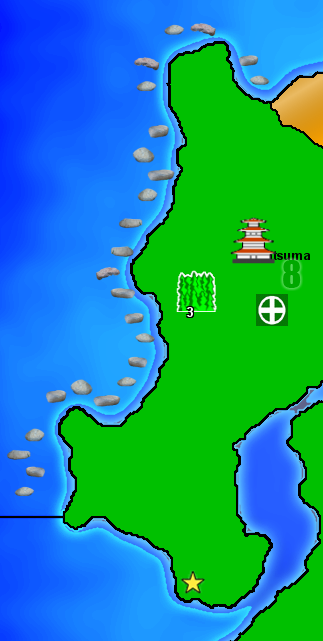
    @thedog Actually the physical map was the primary goal, I learned GIMP to make that first and then afterwards started working on the TripleA version. The TripleA map was relatively quick/simple because I'd already had the physical version of the map with all of the territory borders created using vectors. So effectively I just scaled it down and hit the trace button on the borders vectors and was done.
  • 0 Votes
    9 Posts
    2k Views
    TorpedoAT
    Found the problem. I cannot even use this with land units. Only in sea zones i can enter in noncombat move phase. Whole idea worthless. <!-- Subs Can End NonCombat Move With Enemies allows submarines to end their noncombat movement in a sea zone containing any enemy units, including enemy subs --> <property name="Subs Can End NonCombat Move With Enemies" value="true" editable="false">

Recent Posts

  • @black_elk

    you are the only one. Help us BlackElk

    😁

    read more

  • @Ramon No problem! I ran into the same problem when making changes to my North Africa map. Black_Elk made very cool reliefTiles for our map, but I didn't know how he made them. So when changing some territory borders, the reliefTiles didn't update along with them. I tried several things and what I described above ended up working the best. You can still see that the map is slightly darker at the places where the change happened, but I still tried my best to conceal it.

    image.jpeg

    The best thing actually to do is trying to contact the map maker! However, the map maker for NML is Black_Elk, and when I contacted him for North Africa, he didn't reply. But maybe you have more success!

    read more

  • @VictoryFirst

    Hi Victory thank you for your reply!

    Its very unfortunate that i dont have the original overlay that the map used.
    I will see what i can do!

    Cheers!

    read more

  • @ramon Changing the reliefTiles is difficult when you do not have the overlay that the game used. You can actually modify individual tiles, but it is not recommended if the change is across multiple tiles. Assuming that this is the case, you'd need to use the baseline image, change the borders there, and then break it using the tile image breaker. Then, you'd need to open the reliefmap by combining it using the tile image reconstructor. Also open the modified baseline map so that you can see what borders you removed and where the new borders are. To remove borders from the reliefmap, you can do the following. In the images you sent, you can see that the color of the territories isn't empty, it has a black-ish (or white/gray-ish in the other) color with a very low opacity. Try selecting this as color and remove the borders using this color. If you use GIMP, you can select the color using CTRL+click when having the pencil tool selected. Do not make it transparent as you did, that will make the territory shade go away completely. You should not be using the eraser at all, only the pencil tool. To draw new borders, you can select the white border color and use it to draw the new borders. If you lower the opacity of the baseline map and put it above the reliefmap, you can see the new borders and you can trace them. Then you can use the heal tool to make the borders and territory colors look more like the rest of the reliefmap, with different shades of colors. This doesn't necessarily make it look nice though. Even if you do your best, you will still probably have spots with a different shade than the rest of the map, but it's better than nothing.

    One small tip is to past the reliefmap not once several times in GIMP, so that you have like 10 identical layers. This will increase the opacity of the reliefmap. If you then combine all these layers, you essentially have increased the opacity. This allows you to actually see everything properly. You'd still need the heal tool to make the colors blend into each other better. Then you can lower the opacity of the layer so that it is around the same as the original reliefmap.

    Last option is to create your own relief tiles using your own overlay. This might be a lot of work but it would ensure that the map looks nice.

    read more